

Convert between Haskell, Markdown, Literate Haskell, TeX.
See the README.md
lima
Sync your README with your Haskell codebase.
Supported formats
Convert files between:
Haskell(.hs)Literate Haskell(.lhs)GitHub Flavored Markdown(.md)TeX(.tex)
Related works
LiterateMarkdown -
limais a fork of this abandoned project.pandoc - supports
Literate Haskelland a ton of other formats.IHaskell - create
Jupyternotebooks withHaskellcode cells andGitHub Flavored Markdowntext cells.lhs2tex - convert
Literate HaskelltoTeX.agda2lagda - Generate a literate Agda/Haskell script from an Agda/Haskell script. Produces LaTeX or Markdown literate scripts.
markdown-unlit -
markdown-unlitis a custom unlit program. It can be used to extract Haskell code from Markdown files.unlit - Tool to convert literate code between styles or to code.
design-tools - a Pandoc filter for building a book from Markdown.
Scope
lima focuses on converting documents between formats and allows to concatenate documents.
Other scenarios, e.g., inlining a document into a document, may require specialized tools.
Demo
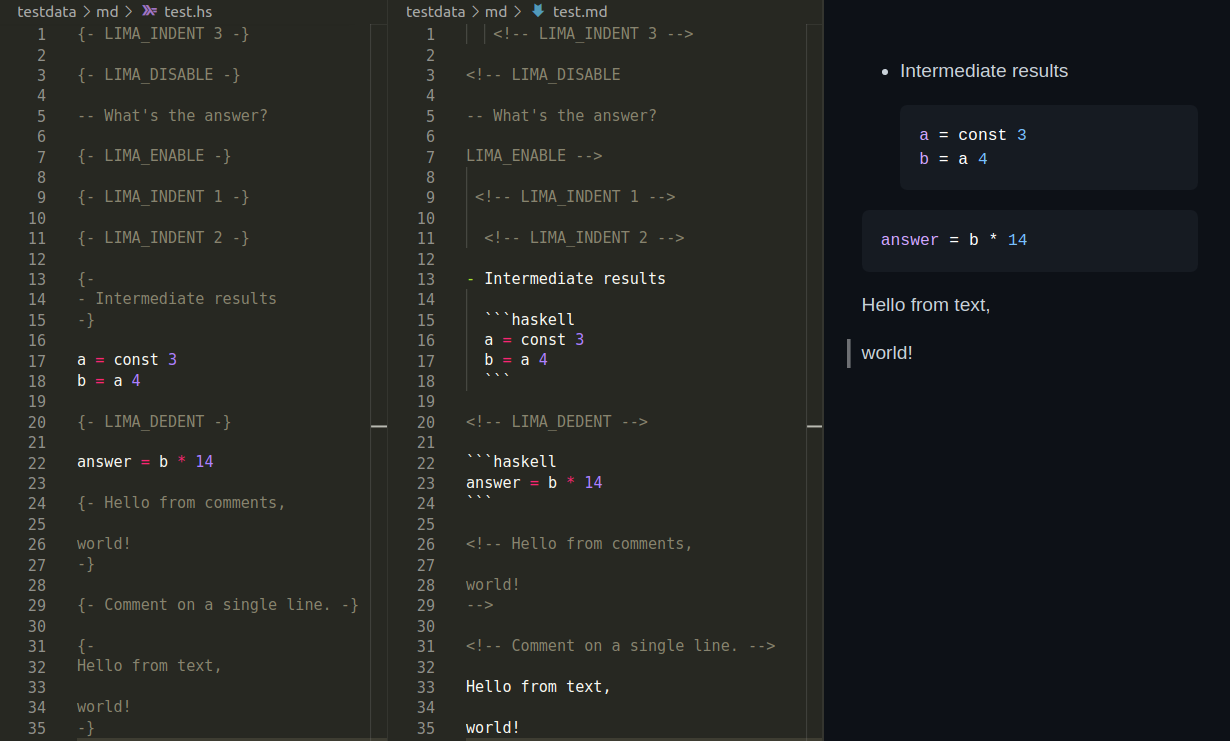
Markdown
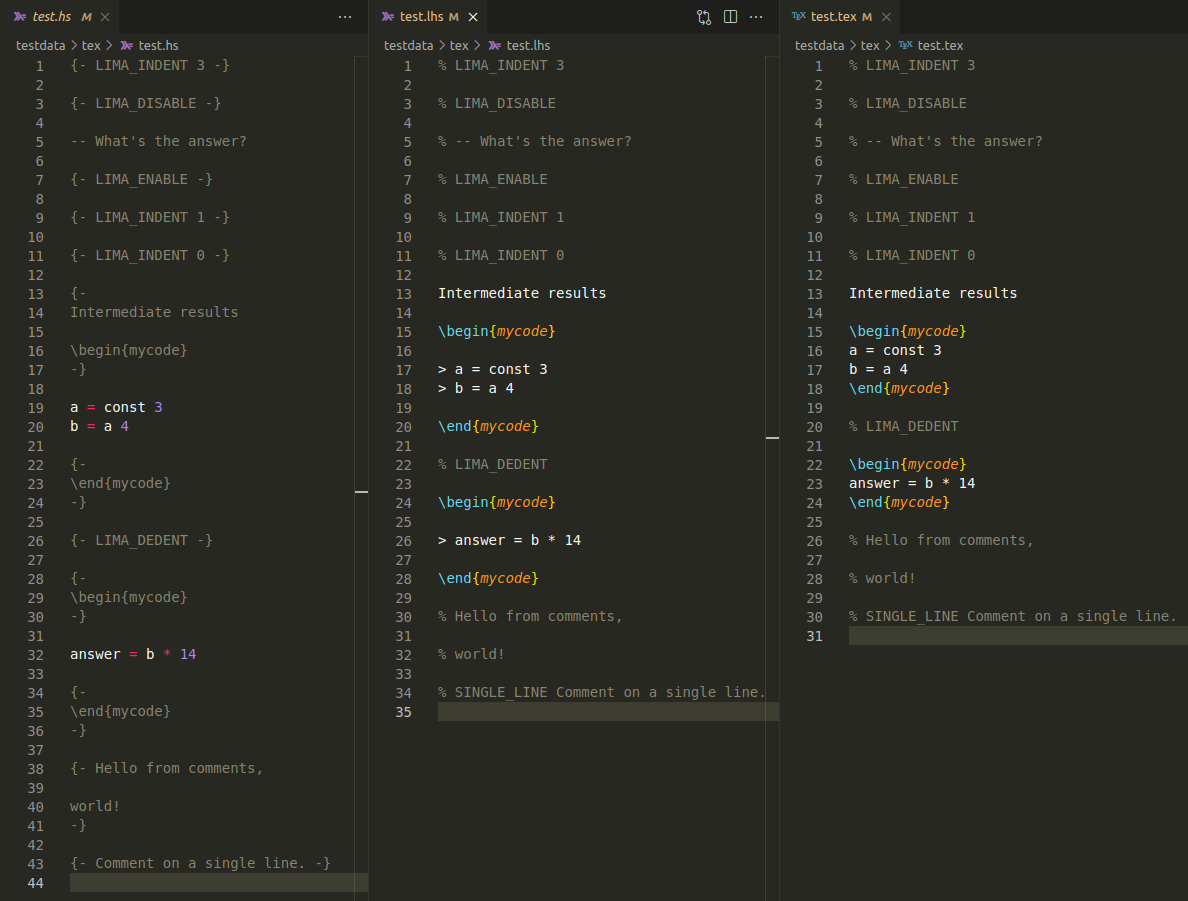
TeX
Ideas
- A document is a text in a supported format.
- I introduced tags into supported formats.
- E.g., in
.hsdocuments, tags are multiline comments written on a single line like '{- LIMA_ENABLE -}'.
- E.g., in
- Tag names are configurable.
- A user may set '
on' instead of 'LIMA_ENABLE'.
- A user may set '
- A document can be parsed into a list of tokens.
- Tags affect document parsing.
- The tokens can be printed back to that document.
- Formatting a document is printing a parsed document back to itself.
- Formatting is idempotent. In other words, formatting the document again won't change its content.
- The
limalibrary provides a parser and a printer for each supported format. - A composition of a printer after a parser produces a converter.
- Such a converter is usually invertible for a formatted document.
- Converting a document
Ato a documentB, then convertingBtoAdoesn't change the content ofA.
- Converting a document
Suggested setup
Create a test suite.
README.hsmay be its main file.Add
limaandtextto its dependencies.Create a test module. It may have the following content.
import Lima.Converter (Format (..), convertTo, def)
import Data.Text.IO qualified as T

main :: IO ()
main = T.readFile "README.hs" >>= T.writeFile "README.md" . (Hs `convertTo` Md) def
This package has three such test suites:
- readme converts
README.hstoREADME.md.README.hsis its main file. - readme-hs-to-md converts
README.hstoREADME.md. - readme-md-to-hs converts
README.mdtoREADME.hs.
Suggested workflow
Here's a suggested workflow for Haskell and Markdown:
- Edit the code in a
README.hsusing Haskell Language Server. - Convert
README.hsto aREADME.md. Comments fromREADME.hsbecome text inREADME.md. - Edit the text in
README.mdusing markdownlint. - Convert
README.mdback to theREADME.hsto keep files in sync. Text fromREADME.mdbecomes comments inREADME.hs. - Repeat.
Contribute
Clone this repo and enter lima.
git clone https://github.com/deemp/lima
cd lima
cabal
Build
cabal update
cabal build
nix
Install
Nix.Run a devshell and build
limausing the project'scabal:nix develop nix-dev/ cabal buildOptionally, start
VSCodium:nix run nix-dev/#writeSettings nix run nix-dev/#codium .Open a
Haskellfile there, hover over a term and wait untilHLSshows hints.Troubleshoot if necessary.