

Description
Extract Party Colors and Logos from Wikipedia.
Description
Extract political party colors and logos from English Wikipedia party pages. Provides functions to scrape party infoboxes for color codes (HEX or HTML color names) and logo images. Includes integration with the Party Facts database for easy party lookups. Designed for political scientists and party researchers working with electoral and party data. For Party Facts, see Döring and Regel (2019) <doi:10.1177/1354068818820671> and Bederke, Döring, and Regel (2023) <doi:10.7910/DVN/TJINLQ>.
README.md
partycoloR


Documentation: https://lwarode.github.io/partycoloR/
partycoloR extracts political party colors and logos from English Wikipedia party pages. Party colors play a crucial role in visually identifying political parties in data visualizations and research.
Features
- Extract party colors (HEX codes) from Wikipedia infoboxes
- Extract party logo URLs
- Handle parties with multiple colors
- Integrate with the Party Facts database for party lookups
- Works seamlessly with dplyr/tidyverse workflows
Installation
You can install partycoloR from GitHub:
# install.packages("devtools")
devtools::install_github("lwarode/partycoloR")
Quick Start
Extract Party Colors
library(partycoloR)

# Single party
get_party_color("https://en.wikipedia.org/wiki/Democratic_Party_(United_States)")
#> "#0015BC"

# Multiple parties
urls <- c(
  "https://en.wikipedia.org/wiki/Democratic_Party_(United_States)",
  "https://en.wikipedia.org/wiki/Republican_Party_(United_States)"
)
get_party_color(urls)
#> "#0015BC" "#E81B23"
Extract Party Logos
get_party_logo("https://en.wikipedia.org/wiki/Democratic_Party_(United_States)")
#> "https://upload.wikimedia.org/wikipedia/commons/thumb/..."

# Download a logo to file
get_party_logo_by_name("SPD", country = "DEU") %>%
  download_party_logo("spd_logo.svg")
Get Both at Once
get_party_info(urls)
#> # A tibble: 2 x 3
#>   url                                                      color   logo_url
#>   <chr>                                                    <chr>   <chr>
#> 1 https://en.wikipedia.org/wiki/Democratic_Party_(Unite... #0015BC https://...
#> 2 https://en.wikipedia.org/wiki/Republican_Party_(Unite... #E81B23 https://...
Use with dplyr
library(dplyr)

parties <- tibble(
  party = c("Democrats", "Republicans"),
  wiki_url = urls
)

parties %>%
  mutate(color = get_party_color(wiki_url))
#> # A tibble: 2 x 3
#>   party       wiki_url                                               color
#>   <chr>       <chr>                                                  <chr>
#> 1 Democrats   https://en.wikipedia.org/wiki/Democratic_Party_(Un... #0015BC
#> 2 Republicans https://en.wikipedia.org/wiki/Republican_Party_(Un... #E81B23
Look Up Parties by Name
Don’t have Wikipedia URLs? Use the Partyfacts integration:
# Download Partyfacts data
pf_data <- get_partyfacts_wikipedia()

# Look up a party
lookup_party_url("SPD", country = "DEU")

# Or get the color directly
get_party_color_by_name("SPD", country = "DEU")
#> "#E3000F"
How It Works
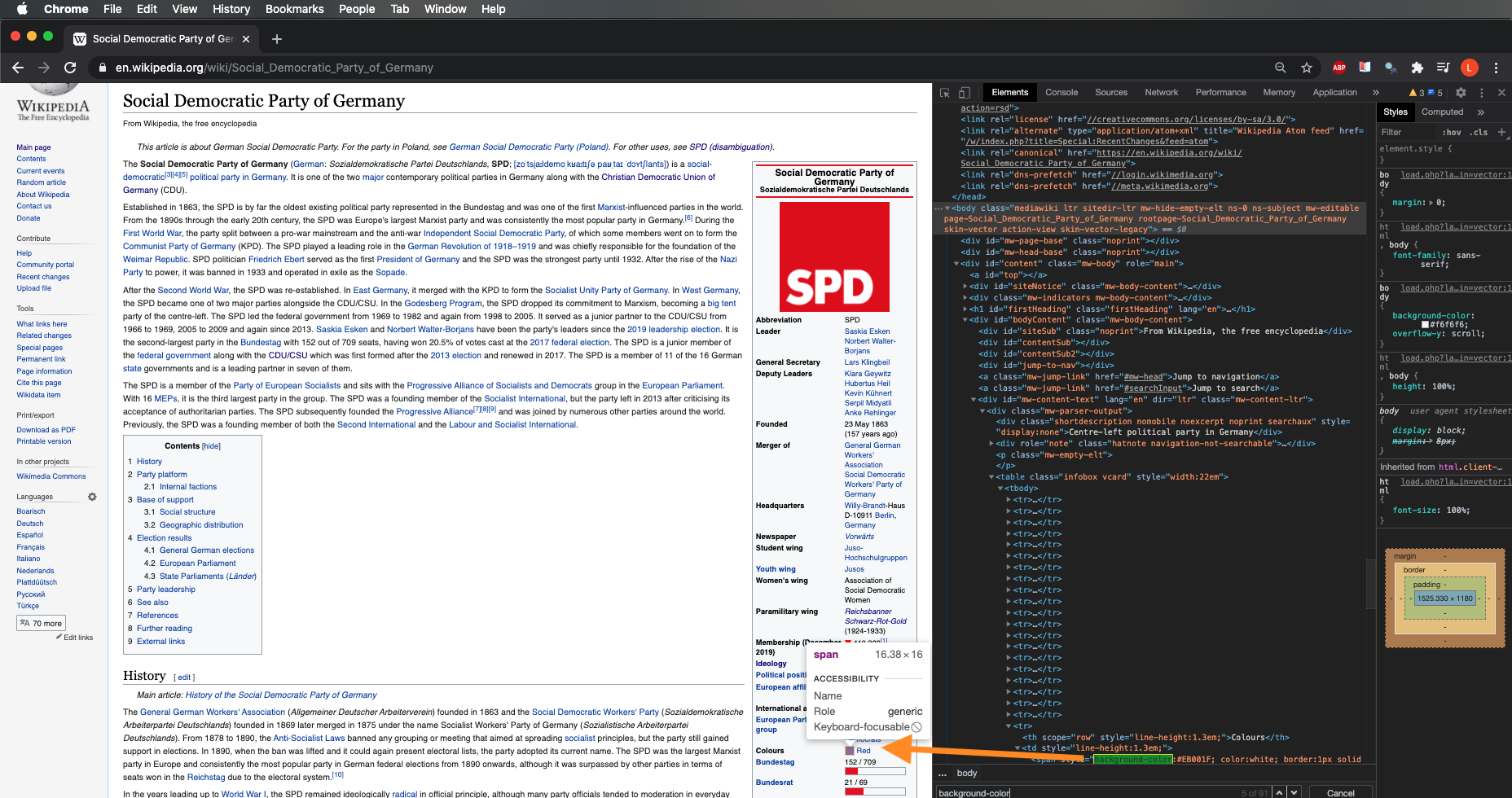
The package scrapes the Wikipedia infobox (vcard table) for party pages, extracting:
- Colors: From
<span>elements withbackground-colorstyle attributes - Logos: From the infobox image cell
Related Resources
- Party Facts - Party Facts links datasets on political parties across a wide range of social science datasets
- ParlGov - Database on parties, elections and cabinets from EU and OECD democracies
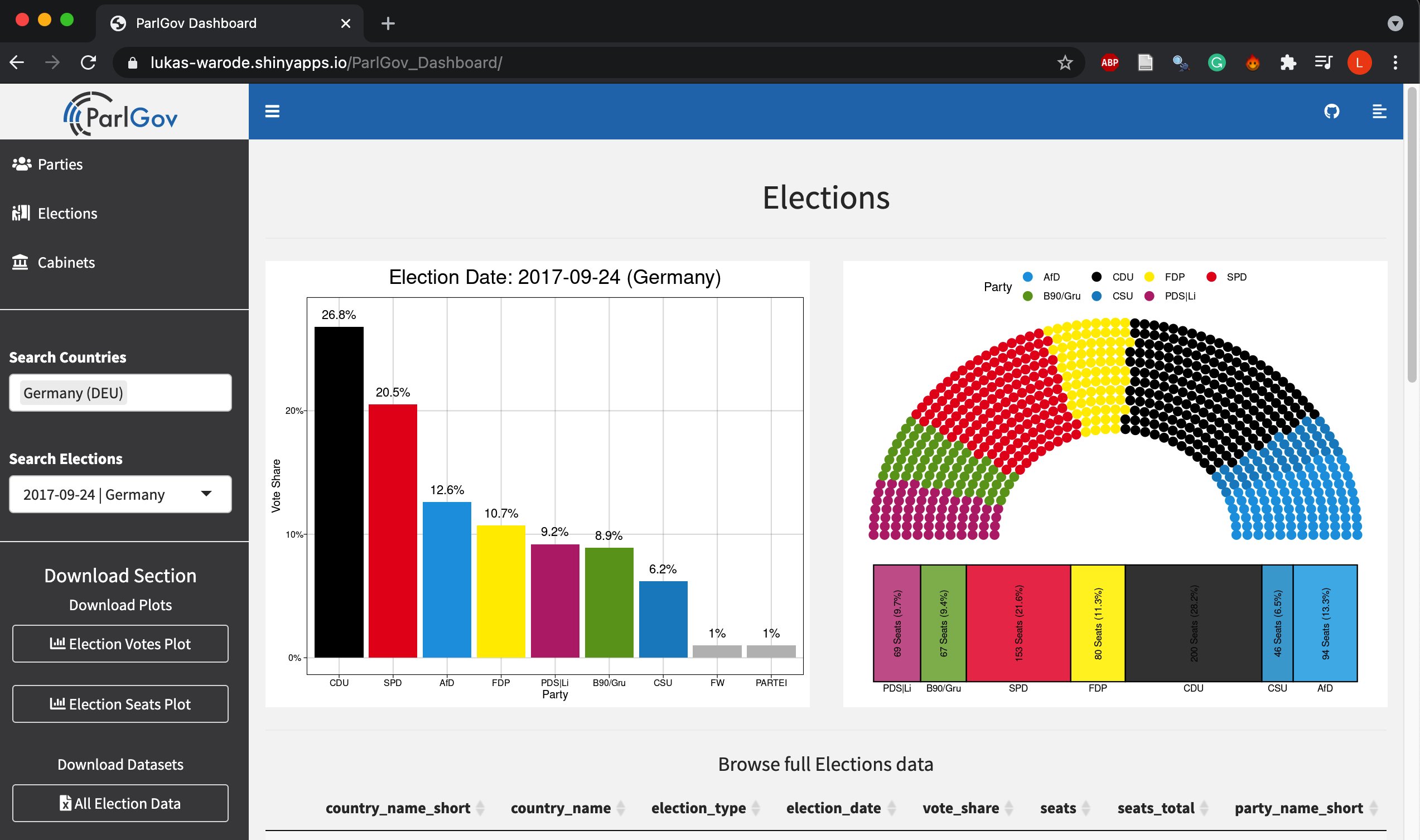
- ParlGov Dashboard - R Shiny dashboard with data from ParlGov and party colors from
partycoloR
Citation
If you use this package in your research, please cite it:
citation("partycoloR")
License
GPL-3